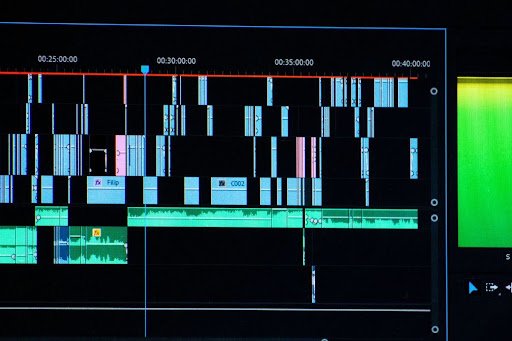
Moving a video editing project from one platform or system to another involves much more than simply clicking “export.” The process requires technical awareness, careful planning, and meticulous attention to detail. Even experienced editors can encounter pitfalls that result in broken media links, incompatible effects, or unexpectedly poor results. This article takes a closer look at the frequent missteps encountered during video project migration, helping production teams and solo creators alike steer clear of common traps.
Why do video editing projects need migration?
There are several reasons for relocating a video editing project from one environment to another. Perhaps the current software no longer meets project requirements, or there has been a switch to a different editing suite to collaborate more effectively. Sometimes, hardware upgrades or new workflow standards make migration necessary. Each scenario introduces its own set of risks, often stemming from assumptions about file compatibility or transfer processes.
Regardless of the reason, skipping vital steps along the way can lead to lost or missing files, inconsistent final products, or additional hours spent redoing work. With this in mind, understanding where most mistakes happen makes all the difference between a seamless transition and a troubleshooting nightmare.
The dangers of missing backups
One of the top mistakes during any project migration involves failing to create adequate backups. Editors sometimes rely solely on auto-save features or copies of main project files, thinking it will suffice. When disaster strikes—such as a corrupt drive or software crash—the consequences become apparent.
A single migration attempt can go wrong due to unexpected power loss, incomplete transfers, or simple human error. Without dedicated copies, these hiccups may leave large portions of work unrecoverable, turning what should be a smooth move into a costly episode.
- Create dedicated archives of every relevant file and folder before beginning.
- Make use of external drives or cloud storage to ensure redundancy.
- Save interim versions rather than relying on a single “final” backup.
Poor organization and file management
Poor organization and file management quickly transform even a basic migration into a headache. When assets such as footage, music, graphics, or sound effects are scattered across different folders, linking and relinking them becomes complicated. Over time, lost or missing files surface during transfer, derailing timelines.
Many projects suffer from generic folder names, repeated use of default names like “Untitled” or “New Project,” or disorganized bins. This confusion not only slows down migration but also increases the chance of using old versions or the wrong assets altogether.
- Label and structure folders clearly by content type and date.
- Avoid duplicate file names to reduce accidental overwrites.
- Consolidate all media and effect assets within a master project directory prior to migration.
Ineffective use of conversion tools
Modern editing platforms rarely share file formats and standards perfectly, which means ignoring specialized conversion tools often leads to issues like incompatible effects, lost track layouts, or improper timeline mapping. Overlooking resources such as pr2xml.com can result in unnecessary manual labor and increased risk of errors.
Some editors believe exporting a project file alone is enough, while others try to reconstruct edits without considering dependencies. Both approaches introduce avoidable complications along the way.
Choosing appropriate project conversion tools
Using a properly tested converter reduces both time and error rate. Solutions that accurately translate timelines, effects, and references are essential. Relying on random scripts or unproven plug-ins compounds problems. Tools that handle format shifts and asset relinking significantly ease the process.
Always research compatibility tables and user reviews before settling on a particular tool. If possible, test migrations with small sample projects ahead of larger jobs.
Common limitations and workarounds
No converter is perfect, especially with complex projects. Incompatible effects, unsupported formats, or changes in keyboard shortcuts often require manual adjustment post-conversion. Keeping checklists documenting expected outcomes and known incompatibilities helps minimize last-minute surprises.
Saving exported versions for each step helps track progress and identify points where custom fixes become unavoidable. Documenting recurring bottlenecks streamlines future migrations.
Overlooking broken media links and asset paths
Broken media links remain among the biggest headaches in migrated projects. Whenever footage, audio, graphics, or reference clips reside outside the consolidated project folder, they risk becoming inaccessible after a move. Editing platforms typically search original folder locations—even if those exist on now-removed drives or outdated network paths.
If the program loads a project only to report dozens of missing files, urgent asset hunting can easily overwhelm even well-organized teams. Delaying connection repairs may also compromise quality checks and delivery deadlines.
Tactics for keeping assets accessible
Before transferring, gather all items into unified directories that mirror the intended workspace on the destination system. Review original project settings for linked assets or dynamically-linked objects. Providing copies of fonts, LUTs, or plugin folders avoids surprises later.
When relinking is needed, batch relocation features in editing tools simplify corrections. Creating consistent directory structures across devices also minimizes confusion whenever multiple users collaborate.
Spotting hidden media errors early
Not all problems appear instantly. Use “media offline” warnings and validation reports before final export. Scanning sequence summaries and previewing every element on the timeline reveals less obvious errors before they reach clients or audiences.
Small overlooked details such as missing background layers, graphic elements, or lower-thirds may significantly affect the perceived polish and professionalism of the final cut.
Incompatible effects, transitions, and plugins
Video projects frequently make heavy use of platform-specific visual effects, titles, or filters. These do not always survive cross-platform conversions. Once-matching transitions, speed ramps, or motion graphics may disappear outright or render differently depending on the host program’s feature set.
Sound design suffers similarly if proprietary mixing tools or third-party VSTs are unavailable on the target system. Bad or missing sound design and audio quality quickly stand out, undermining overall impact.
- Audit effect lists before migrating and note plugins exclusive to certain platforms.
- Render key sequences containing critical effects to high-quality video files ahead of migration.
- Archive installers and presets for third-party tools alongside project folders.
Problems with pacing, transitions, and editing style
Direct project transfers do not always maintain correct pacing or editorial nuance. Automated tools may mishandle overlapping cuts, variable-speed segments, or opacity changes, resulting in jagged sequences that lose their intended rhythm.
Overuse or misuse of cuts and transitions becomes more pronounced during import and export cycles. Poor choices in tempo, placement of musical cues, or transition techniques can produce clunky edits or break tone continuity. A generic or inconsistent editing style emerges when mismatched tools substitute for the original creative intent.
Pacing discrepancies during migration
Differences in timebase handling, subframe movement, or marker alignment may split shots inadvertently. Meticulous editors know to check timing via side-by-side comparison of old and new timelines, noting changes in shot length or shifts in audio-video synchronization.
Careful adjustment restores the correct rhythm. Making custom notes for key narrative beats ensures faithful reconstruction whenever effects or marks go astray.
Undoing misplaced transitions and effects
Automated conversion routines handle common fades or dissolves well, but unique or layered combinations often require hand-correction. Watch for vanishing wipes, partial transparency, or distortion effects that migrate without expected parameter values.
Where transitions cannot be rebuilt directly, preserving rendered composite sequences serves as a reliable stopgap. That way, complex ideas are not lost just because a preset did not translate.
Skipping post-migration quality checks
Completing the migration does not mean the process is finished. Many missteps arise from ignoring comprehensive quality control before moving to the next phase or delivering to a client. Rushed edits tend to miss color mismatches, jumbled font choices, misaligned graphics, and other visible inconsistencies.
Wrong fonts, graphics, or colors disrupt the look and feel of carefully crafted pieces. A thorough round of checks covers everything: verifying subtitle accuracy, ensuring consistent titles and credits, and reviewing each sequence. Fast-tracking delivery without proper review endangers the reputation of the finished product regardless of earlier efforts.
- Perform full-sequence playbacks to watch for audiovisual glitches or dropped frames.
- Inspect elements in slow motion for subtle artifacts missed during standard review pace.
- Solicit feedback from a fresh set of eyes before signing off on final exports.
Lack of planning and documentation throughout the process
Poor planning or lack of pre-production affects even the most technically skilled editor. Migrating a project is not simply about copying data; it is about maintaining vision, consistency, and creative direction. When decisions are not documented, creative intent gets lost in translation.
Lists detailing asset sources, used plugins, specific edit points, and creative objectives provide a roadmap for successful handoff. Any absence of this documentation leads to extended troubleshooting sessions, missed cues, and patchwork solutions that dilute the quality of the finished work.
Setting the stage for future migrations
Once pitfalls have been identified and avoided, future project movements grow easier. Standardizing workflows, archiving reusable templates, and reviewing migrations as collaborative learning experiences build resilience into future endeavors. Treating each new project as an opportunity to refine habits and implement smarter protocols pays off over time.
Open communication within teams regarding lessons learned strengthens trust and saves valuable time. As the digital editing landscape continues to evolve, prioritizing solid file management, thorough preparation, and diligent review measures turns obstacles into springboards for creativity.